Turn export enquiries into faster replies & more revenue.
One system for lead intake, WhatsApp follow-up, and pipeline visibility for pharma exporters.
What breaks when sales runs on WhatsApp + spreadsheets
Without Outbound OS
- Enquiries scattered across IndiaMART and emails
- Slow, inconsistent first replies to buyers
- No visibility for managers on stalled deals
- Quotes die quietly after buyer shows intent
With Outbound OS
- One intake queue, instant assignment
- <15 min first response with tested templates
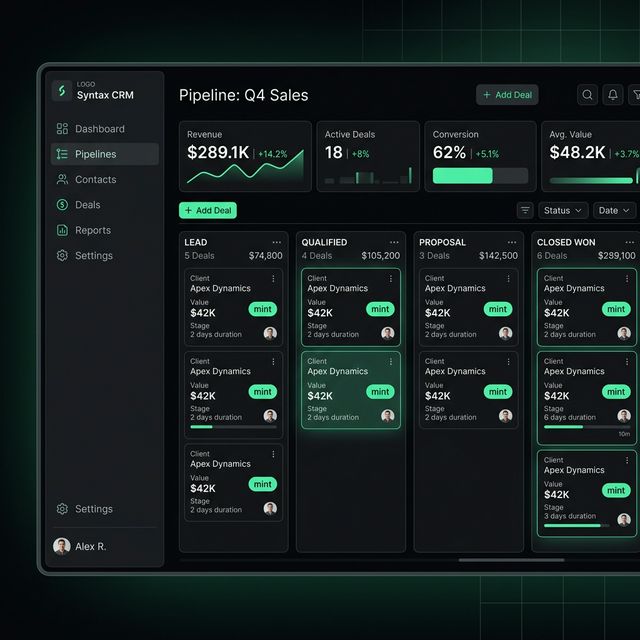
- Live pipeline dashboard for leadership
- Auto follow-up + escalation triggers
Enquiry to revenue in three moves
Step 1: Capture
Pull IndiaMART enquiries and manual leads into one unified triage queue.
Step 2: Reply
Fast first replies on WhatsApp with full context and one-click templates.
Step 3: Close
Track pipeline movement from reply to revenue with full manager visibility.
Everything an export team needs.
Built exclusively for pharma exporters running high-velocity WhatsApp sales.
Lead intake command
Capture every IndiaMART and trade enquiry into one action queue. Live routing ensures your reps never drop a high-intent buyer again.
Follow-up control
Template-assisted replies that keep deals moving forward instantly.
Revenue analytics
See reply velocity and pipeline movement instantly without waiting for a Friday spreadsheet.
Manager oversight
Escalate stalled quotes and review outbound health before the buyer disappears to a competitor.
Email fallback
Switch to email seamlessly when WhatsApp isn't enough, keeping context completely intact.
Export teams moving faster with Outbound OS
"Outbound OS transformed our chaotic IndiaMART pipeline into a streamlined machine. We reply in under 5 minutes now."
"We used to lose 30% of our quotes because reps forgot to follow up. Now, the pipeline visibility keeps everyone accountable."
"The WhatsApp templates alone saved us 10 hours a week. It's the only CRM our reps actually enjoy logging into."
Frequently Asked Questions
Does this replace IndiaMART?
No. Outbound OS integrates directly with your IndiaMART account via API. We pull leads into a unified system so you never log into the slow IndiaMART seller panel again, but you keep your existing lead source untouched.
Why use WhatsApp instead of standard CRMs?
90% of export buyers prefer WhatsApp. Standard CRMs force you to send emails that end up in spam. Outbound OS is built strictly for the high-velocity WhatsApp workflows that actually close modern export deals.
How fast is the setup?
Our average deployment time is under 48 hours. We connect your IndiaMART and TradeIndia accounts via webhooks, map your product catalog to 1-click WhatsApp templates, and invite your team.
Is it secure for pharma data?
Yes. Your pipeline data is heavily encrypted. We use isolated instances and strict manager permission sets to ensure sales reps only see their assigned leads, protecting your proprietary buyer lists from theft.